Sketch to CAD and 3D in Rhino
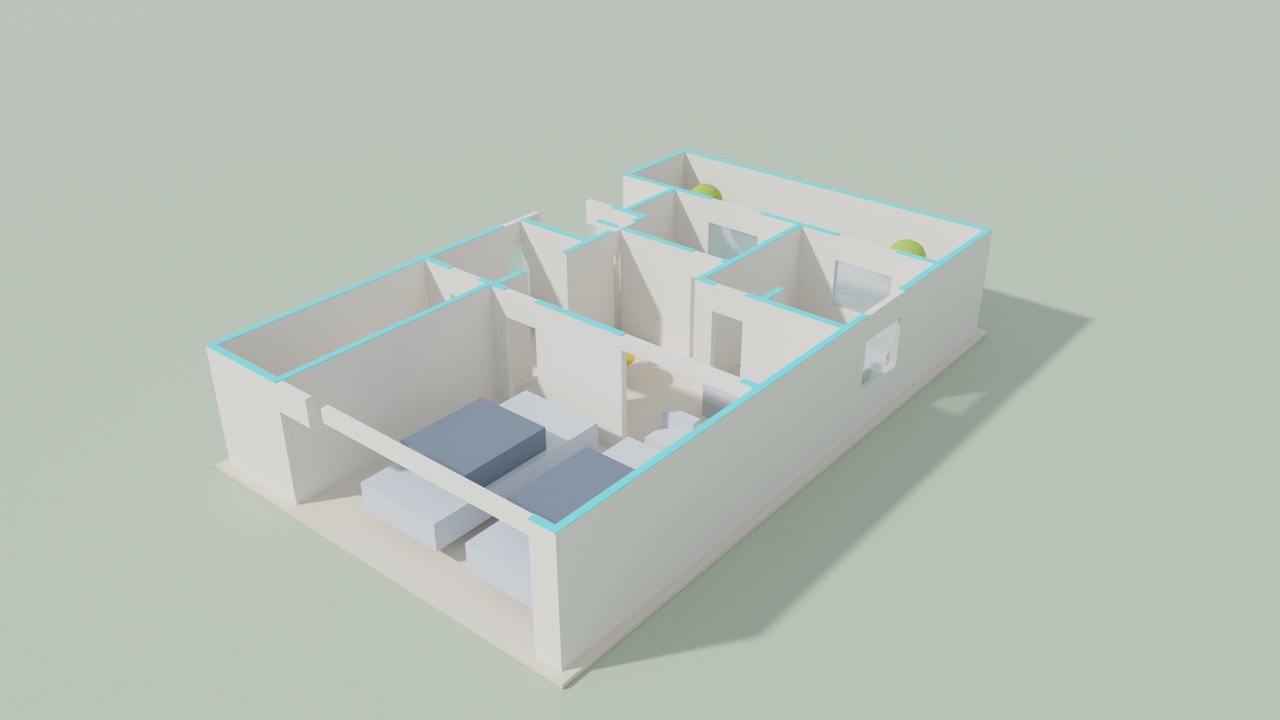
Run PlanChatSketchToCad, pick a sketch or a photo of a plan, and the AI drafter draws it. The plug-in imports the dimensioned plan with its layers and builds a 3D model of the walls, openings, floor and furniture on Plan Chat layers, grouped at the point you pick.
Free · version 1.0.0 · Rhino 7 or 8; internet connection; Plan Chat account. Coming soon to the food4Rhino and the Rhino Package Manager.
Install
- Download the .rhp file.
- Drag it onto the Rhino window (or Tools → Options → Plug-ins → Install…).
- Type PlanChat in the command line to see the commands.
Sign in
The first command opens your browser on the Plan Chat sign-in page. Sign in (email or Google), click “Continue”, and the app is signed in. One sign-in works for all Plan Chat plug-ins on the computer. No account yet? Create one in the studio.
Commands
| PlanChatSketchToCad | Image of a plan → 2D drawing and/or 3D model. |
|---|---|
| PlanChatTextToCad | Describe a building; the drafter draws it. |
| PlanChatOpen | Insert one of your Plan Chat drawings. |
| PlanChatWeb | Open the browser studio. |
| PlanChatLogin / PlanChatLogout | Your Plan Chat account. |
What the drafter draws
A clean CAD floor plan, not a traced image: structural grid, walls with real thickness, doors with swings, windows, furniture and fixtures, dimension chains, room names and areas, a room schedule and a legend, on standard AIA layers. Every drawing stays in your account with all its versions, so you can change it by chat in the browser studio, see it in 3D, render it, and insert the new version again.
| A-WALL | walls, with A-WALL-PATT for the cut hatch |
|---|---|
| A-DOOR / A-GLAZ | doors with swings, windows |
| A-GRID | structural grid with bubbles (A, B, C … / 1, 2, 3 …) |
| A-ANNO-DIMS | dimension chains, overall and per bay |
| A-ANNO-TEXT | room names, numbers and areas, room schedule |
| A-FURN / A-FLOR-FIXT | furniture, kitchen and bathroom fixtures |
| A-FLOR-STRS / A-SITE / A-PLNT | stairs, site elements, trees |
Questions
Which Rhino versions?
Rhino 7 and Rhino 8, on Windows and Mac.
2D, 3D or both?
You choose each time: the CAD drawing imported with its layers, a 3D model built from the same walls and openings, or both, grouped together.
What does it cost?
The plug-in is free. Each drawing uses Plan Chat credits from your AI Architectures plan (a new drawing typically uses 700 to 1,800 credits); some new accounts get their first drawing free.
Pricing: The plug-in is free. Each drawing uses Plan Chat credits from your AI Architectures plan (a new drawing typically uses 700 to 1,800 credits); some new accounts get their first drawing free. See plans.
Privacy: sketches and briefs are sent over HTTPS only to make your drawing and are kept in your account until you delete the project. Privacy policy.
Support: support@ai-architectures.com or the help page.
Plan Chat in other apps
- Plan Chat AI Drafter for AutoCAD
- Plan Chat AI Drafter for Revit
- Plan Chat AI Drafter for SketchUp
- Plan Chat: AI Floor Plan to 3D for Blender
- Plan Chat AI Drafter, LISP edition
- Desktop app for Windows, Mac and Linux
- Sketch to CAD in the browser
AI concept drawings can contain mistakes: check dimensions and have a licensed architect or engineer review a plan before you build or apply for a permit. AutoCAD and Revit are trademarks of Autodesk, Inc.; SketchUp of Trimble Inc.; Rhino of Robert McNeel & Associates; Blender of the Blender Foundation; BricsCAD of Bricsys NV; ZWCAD of ZWSOFT; GstarCAD of Gstarsoft; DraftSight of Dassault Systèmes. Plan Chat is not affiliated with them.