Plan Chat: from a sketch or a sentence to a CAD drawing, drawn live
Attach a sketch or describe a building, and an AI drafter draws a layered, dimensioned CAD floor plan in front of you. Keep changing it by chat or with real CAD tools, see it in 3D, render it, and download DXF, DWG and PDF.
Plan Chat is part of AI Architectures by 20Vision: 500,000+ hours of drafting, modelling & rendering saved, 280 years of full-time work our users got back, across 80,000+ designs.
Two ways to work with AI Architectures
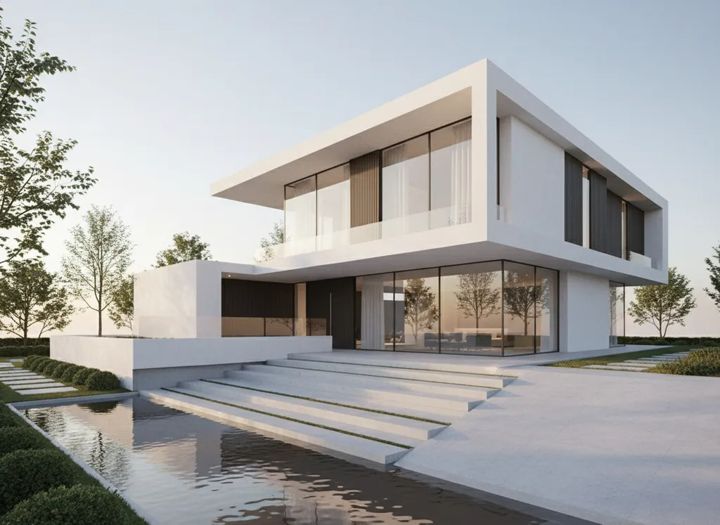
Real estate, homeowners, designers
Photos & renders, on ai-architectures.com
Photoreal renders from a sketch or CAD view, remodel previews on a photo of your own house and virtual staging, in about 30 seconds.
Go to AI Architectures →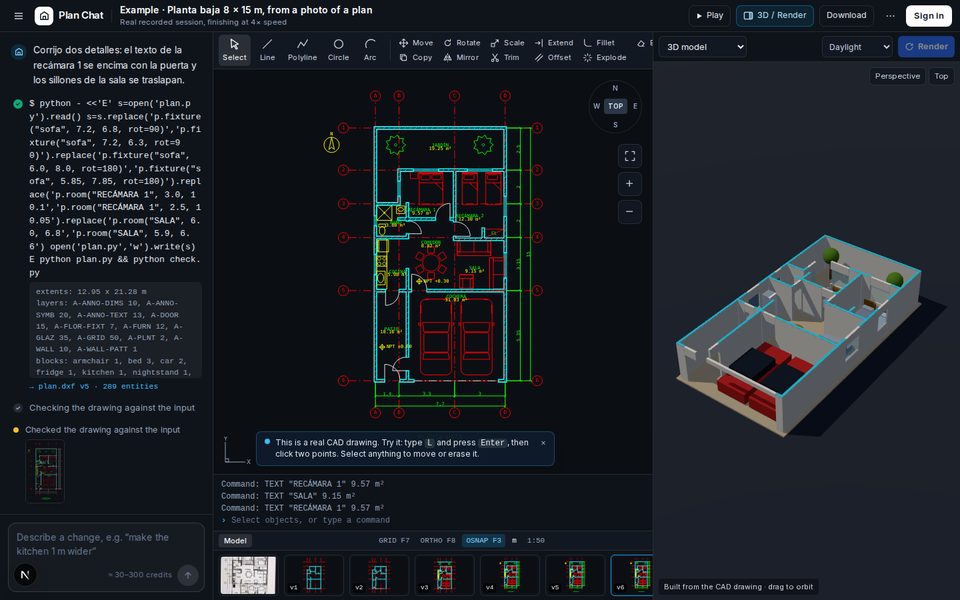
Architects, builders, drafters
CAD drawing, here in Plan Chat
A drafter draws your plan live as layered CAD with dimensions. Edit it, see it in 3D and download DXF, DWG and PDF.
Some new accounts get their first design free while we test it.
Open the CAD studio ↑Need an existing plan redrawn as a clean 2D floor plan? Use the AI Architectures floor plan generator. One account and one set of credits work on all three sites: see pricing.
How it works
1. Sketch or describe
Attach a hand sketch, a photo of a plan or a screenshot, or type the building: rooms, sizes, storeys.
2. Watch it being drawn
The drafter writes the drawing step by step: grid, walls, openings, furniture, dimensions, room areas.
3. Change, view, download
Ask for changes or use the CAD tools, check it in 3D, render it, and download DXF, DWG or PDF.
Questions
What is Plan Chat?
An AI drafting studio. Describe a building or attach a hand sketch, a photo of a printed plan or a screenshot, and an AI drafter draws it live as a layered CAD floor plan with walls, doors, windows, dimensions, room names and areas. You can keep editing it by chat or with real CAD tools, see it in 3D, render it and download DXF, DWG and PDF.
I only want photoreal renders, remodel previews or virtual staging. Where do I go?
To AI Architectures at https://ai-architectures.com/. Upload a photo or sketch and get a photoreal render, a remodel preview of your own house or a staged room in about 30 seconds. It is the same account and the same credits as Plan Chat.
Which CAD files do I get?
DXF for AutoCAD and any CAD program, DWG (AutoCAD 2010) and a PDF on an A3 sheet with a title block. Units can be metres, centimetres, millimetres or feet and inches.
Can I edit the drawing myself?
Yes. The studio has line, polyline, circle, arc, move, copy, rotate, mirror, scale, trim, extend, offset, fillet, dimension and text tools with layers, grid, ortho and object snap. Every change is saved as a version you can go back to.
What does it cost?
Drawings, changes and renders use credits from a paid AI Architectures plan. Each action shows its cost before you start, and failed jobs are refunded. Some new accounts get their first design free while we test it.
Can I build from these plans?
No. They are AI concept drawings and can contain mistakes. Have a licensed architect or engineer check and complete any plan before you build, buy or apply for a permit.
Questions or a problem? Help & support or support@ai-architectures.com.